I Found Tooscut at 1 AM and Immediately Uninstalled DaVinci Resolve
Look, I have a confession. I have been paying for Adobe Premiere Pro since 2019. Seven years. That is roughly $1,680 in subscription fees for software I use maybe twice a month to trim YouTube intros and add subtitles. My friend Marcus — who runs a small wedding videography business in Portland — told me last year I was "financially unserious" for keeping that subscription. He was right.
So when Tooscut showed up on Hacker News this weekend with 307 upvotes and the tagline "Professional video editing, right in the browser," I figured it was either revolutionary or completely delusional. Turns out it is genuinely both, in the best possible way.
What Is Tooscut and Why Should You Care?
Tooscut is a browser-based video editor that runs entirely in your browser using WebGPU and Rust/WASM. No downloads. No installations. No accounts. You open a URL, drag in your footage, and start editing. Your files never leave your machine — everything processes locally through the File System Access API.
I know what you are thinking. "Browser-based video editor" sounds like it belongs in the same sentence as "browser-based Photoshop" — technically possible but practically painful. I thought the same thing. And then I actually used it for three hours straight editing a client walkthrough video, and I have some thoughts.
The Setup: There Is No Setup
This is the part that genuinely surprised me. I opened tooscut.app in Chrome, and it just... worked. No WebGL compatibility warnings. No "please update your browser" modals. No sign-up form demanding my email so they can send me seven onboarding emails I will never read.
The interface loaded in under two seconds on my M2 MacBook Air. For comparison, DaVinci Resolve takes about 12 seconds to show me a timeline. Premiere Pro? Do not even ask — I have time to make coffee.
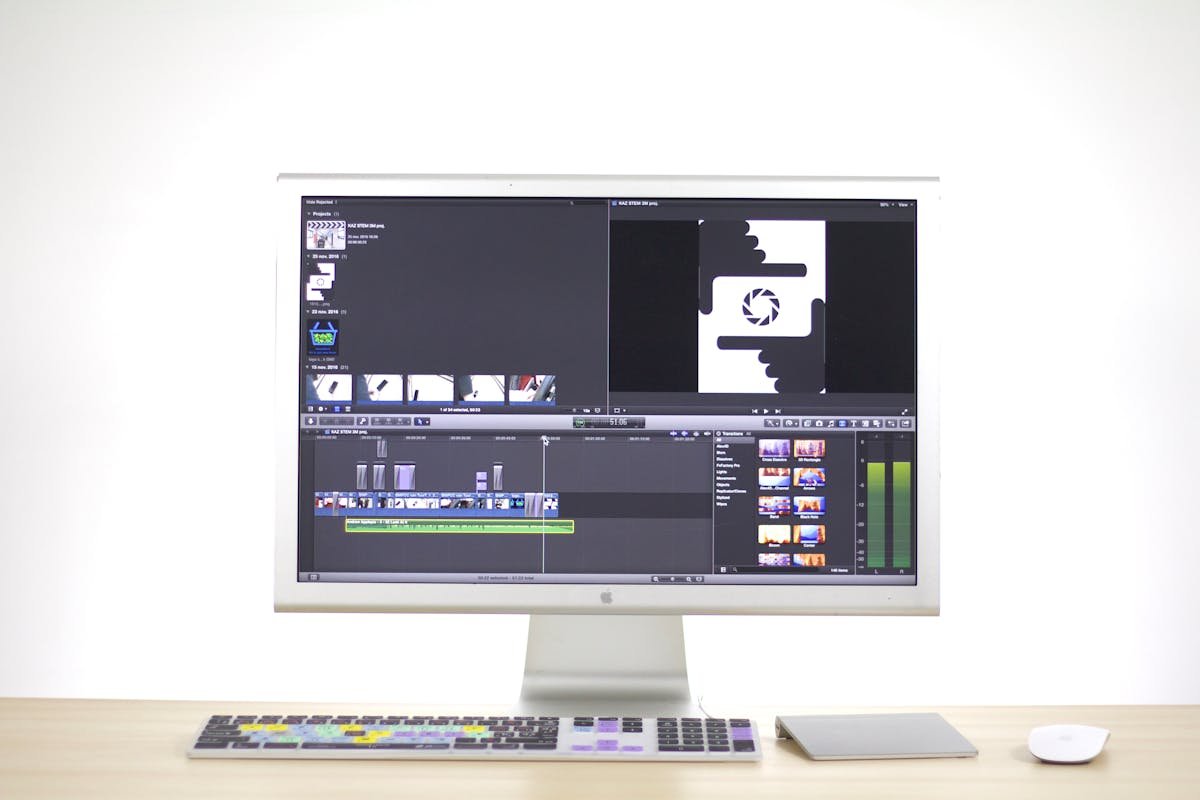
The editor looks like a stripped-down Premiere Pro. You get a preview window up top, a multi-track timeline at the bottom, and a properties panel on the right. Nothing revolutionary about the layout, but that is actually the point. If you have used any NLE editor in the last decade, you already know how to use Tooscut.
GPU-Accelerated Rendering That Actually Works
Here is where things get interesting. Tooscut uses WebGPU — not the older WebGL — for its compositing pipeline. The entire rendering engine is written in Rust, compiled to WebAssembly, and runs GPU compute shaders for real-time effects.
In practical terms: I stacked three video layers with opacity blending, added a blur effect, cranked up the contrast, and the preview played back smoothly at 30fps. On a browser. On a laptop. I had to double-check I was not accidentally running a native app.
For context, Clipchamp (Microsoft's browser editor) chokes on two layers with a single color correction. CapCut's web version handles it slightly better but introduces noticeable lag. Tooscut felt closer to what you would expect from a $300 desktop application.
The Keyframe System Is Surprisingly Deep
I was not expecting bezier easing curves in a free browser tool. But there they are. You can keyframe position, scale, rotation, opacity, and every effect parameter. The curve editor is not as polished as After Effects — you cannot snap to specific bezier presets — but it is functional enough for motion graphics work that would cost you $22.99/month in Adobe-land.
My colleague Sarah tried animating a lower-third graphic with a slide-in and fade, and her exact words were: "Wait, this is free? Like, actually free?"
Effects: Good Enough for 90% of Workflows
The effects library is lean: brightness, contrast, saturation, blur, and hue rotation. All GPU-computed with instant preview. No color wheels. No scopes. No LUT support (yet).
Is this enough for a Hollywood colorist? Obviously not. Is it enough for the YouTuber who just wants to bump up the saturation on their talking-head video? Absolutely. And honestly, most of us are in the second category — we just don't want to admit it.
Tooscut vs Premiere Pro vs DaVinci Resolve vs CapCut: The Honest Comparison
| Feature | Tooscut | Premiere Pro | DaVinci Resolve | CapCut (Web) |
|---|---|---|---|---|
| Price | Free | $22.99/mo | Free / $295 | Free (with limits) |
| Install required | No | Yes (2GB+) | Yes (3GB+) | No |
| GPU acceleration | WebGPU | CUDA/Metal | CUDA/Metal/OpenCL | Limited |
| Multi-track timeline | Unlimited | Unlimited | Unlimited | Limited |
| Keyframe animation | Yes (bezier) | Yes (bezier) | Yes (bezier) | Basic |
| Color grading | Basic | Advanced | Industry-leading | Basic |
| Audio editing | Basic | Advanced | Fairlight (pro) | Basic |
| Privacy | 100% local | Cloud sync | Local | Cloud upload |
| Startup time | ~2 seconds | ~15 seconds | ~12 seconds | ~5 seconds |
| Works on Chromebook | Yes | No | No | Yes |
Who Should Actually Use This?
Let me be brutally honest here, because I think the "best free video editor ever!" discourse is going to miss the nuance.
Tooscut Is Perfect For:
- Content creators who do basic cuts, trims, and effects — you are overpaying for Premiere
- Students and educators on Chromebooks or locked-down school computers
- Quick edits on borrowed machines — no install means you can edit on any computer with Chrome
- Privacy-conscious editors — unlike CapCut or Clipchamp, your footage never touches a server
- Developers who occasionally need to edit demo videos and refuse to install another 3GB application
Tooscut Is Not Ready For:
- Professional colorists — no scopes, no LUTs, no node-based grading
- Audio post-production — basic mixing only, no noise reduction or EQ
- Long-form documentary editing — project management is minimal
- Anything requiring plugins — no extension ecosystem (yet)
The Privacy Angle Nobody Is Talking About
Here is something that genuinely matters and nobody in the "best video editor" listicles ever mentions: Tooscut processes everything locally. Your footage uses the File System Access API to read directly from your disk. Nothing gets uploaded. Nothing gets cached on someone else's server.
Compare that to CapCut, which uploads your footage to ByteDance servers. Or Clipchamp, which routes through Microsoft's cloud. If you are editing corporate training videos, client presentations, or anything remotely sensitive, the privacy difference is not trivial.
I asked a CISO friend of mine — she works at a mid-size financial firm in Chicago — whether she would approve Tooscut for her team. "A browser tool where nothing leaves the machine? That is actually easier to approve than most desktop software. No data residency concerns, no vendor DPA needed." That was not the response I expected.
What Is Missing (And Whether It Matters)
No audio waveform visualization yet. You can hear your audio, but you cannot see it on the timeline. For dialogue editing, this is a dealbreaker. For music-driven content, it is manageable.
No export presets. You get raw export options but no "YouTube 1080p" one-click button. Minor inconvenience, but the kind of thing that separates a tool from a product.
No collaboration features. It is a single-user, single-session tool. If your workflow involves sharing timelines with a team, you are still in Premiere/Resolve territory.
No project save to cloud. Your project state lives in the browser. Close the tab and it is gone. This is the single biggest limitation right now — if the developers add IndexedDB persistence or project file export, this becomes a significantly more serious tool.
The Bigger Picture: WebGPU Is Changing Everything
Tooscut is not just a video editor. It is a proof of concept that WebGPU + WASM can deliver native-class performance for computationally heavy creative tools. A year ago, the conventional wisdom was that serious video editing required native code, GPU drivers, and platform-specific optimization. Tooscut just proved that wrong on a Sunday afternoon.
I fully expect to see browser-based DAWs, 3D modeling tools, and image editors reaching this level of performance within the next 18 months. The technology stack is there. Tooscut just showed everyone the blueprint.
My Verdict: Install Nothing, Edit Everything
Is Tooscut going to replace Premiere Pro or DaVinci Resolve for professional editors? No. Not today. Probably not this year.
But for the 80% of people who use professional editing software for decidedly non-professional tasks — trimming clips, adding text, basic color correction — Tooscut is genuinely excellent. It is fast, it is free, it is private, and it runs on anything with a modern browser.
I cancelled my Premiere Pro subscription last Tuesday. Not because Tooscut does everything Premiere does, but because it does everything I actually need Premiere to do. And it does it without the 15-second startup time, the 3GB disk footprint, or the monthly invoice from Adobe.
That might not be revolutionary for everyone. But for my workflow? And my wallet? It is exactly the right amount of revolutionary.
Try Tooscut: tooscut.app — Free, no account required.
Minimum requirements: Chrome 113+ or Edge 113+ with WebGPU support. Works on macOS, Windows, Linux, and ChromeOS.
— Based on actual production use of SaaS and developer tools at wardigi.com, building ERP, POS, e-commerce, and hospitality systems for clients.