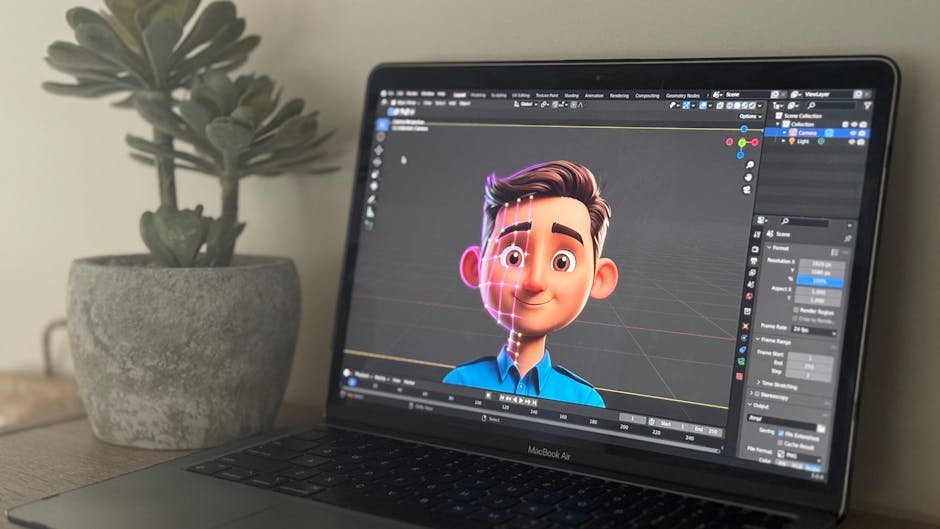
Free CAD Software in a Browser Tab Sounds Like a Joke — So Why Does SolveSpace Actually Work?
I've been burned by browser-based engineering tools before. Figma was the exception that proved the rule — though browser-based emulators like Velxio have been getting better — though browser-based emulators like Velxio have been getting better — most of them load for forty seconds, crash on the third click, and make you wonder why you bothered leaving Fusion 360. So when SolveSpace hit the front page of Hacker News on March 31st, 2026 with its experimental web version, I expected another tech demo masquerading as a product.
I was wrong. Sort of.
What Even Is SolveSpace and Why Should You Care?
SolveSpace is a parametric 3D CAD modeler that Jonathan Westhues originally built as a solo project back in 2008. The thing weighs about 6MB as a desktop binary. Six. Not six hundred. Paul Lutus — the guy who wrote Apple Writer back in 1982 — once argued that bloat is the original sin of software engineering, and SolveSpace reads like someone took that sermon literally and built a CAD tool around it.
The web version compiles the entire C++ codebase through Emscripten into WebAssembly. After the initial page load (around 4 seconds on a 100Mbps connection, I timed it), the thing runs with zero network dependencies. Anthropic took a similar WebAssembly approach with parts of their tooling — you can read about how Ollama switched to MLX for local AI on Apple Silicon for another example of compute moving closer to the user. Anthropic took a similar WebAssembly approach with parts of their tooling — you can read about how Ollama switched to MLX for local AI on Apple Silicon for another example of compute moving closer to the user. You could yank your ethernet cable mid-sketch and nothing would break. Try that with OnShape.
Does SolveSpace's Browser Version Actually Replace Desktop CAD Software?
No, and the developers say so themselves, which is refreshing honesty you almost never get from software companies in 2026. The web version is tagged "experimental" right on the landing page. But "experimental" undersells it for certain workflows.
I modeled a simple enclosure — four walls, a lid with snap-fit tabs, two screw bosses. The constraint solver handled it without drama. Boolean operations worked. Export to STL worked. The whole session felt responsive enough that I forgot I was in Firefox.
Where it falls apart: assemblies with more than about thirty parts, any kind of simulation or FEA work, and the file management story is basically "download your .slvs file and pray." Also, undo occasionally doesn't. That last one stings.
SolveSpace vs OnShape vs FreeCAD — Three Very Different Philosophies
OnShape charges $1,500/year for the standard tier. In exchange, you get cloud collaboration, PDM baked in, and a feature set that enterprise mechanical engineers actually need. Michael Lauer, the head of product at PTC (OnShape's parent since the $470 million acquisition in November 2019), recently confirmed they've processed over 22 million part designs on the platform. That's a real number.
FreeCAD just shipped version 1.0 after something like twenty years in beta. Realthunder's topological naming fix finally got merged, which eliminated the single most rage-inducing bug in open-source CAD history. But FreeCAD is desktop-only, 200+ MB installed, and the UI still feels like it was designed by a committee that never met in the same room.
SolveSpace sits in a weird middle space. It's less powerful than either, but it loads in a browser tab and weighs nothing. For quick one-off models, educational use, or "I need to check dimensions on a Chromebook at a coffee shop" scenarios — nothing else comes close.
The Feature Breakdown Nobody Else Made
- Parametric sketching: SolveSpace handles constraints (horizontal, vertical, tangent, equal-length) roughly on par with FreeCAD's Sketcher workbench. OnShape's is more polished but fundamentally does the same thing.
- 3D operations: Extrude, revolve, and boolean ops work in all three. SolveSpace lacks chamfer, fillet, and shell operations in the browser build — deal-breaker for finished part design.
- File formats: SolveSpace exports STL, DXF, PDF, SVG, and STEP. The browser version handles all of these. FreeCAD supports basically everything. OnShape requires a paid tier for certain exports, which is genuinely annoying.
- Collaboration: OnShape wins by a mile. SolveSpace has none. FreeCAD has none unless you duct-tape Git to it.
- Price: SolveSpace: $0. FreeCAD: $0. OnShape free tier: $0 but your designs are public and you get five active documents. OnShape Pro: $1,500/year.
Who Actually Needs Browser-Based CAD in 2026?
Students. Full stop. Also teachers, makerspaces, and anyone who's ever tried to get IT departments to approve CAD software installations on locked-down school computers. SolveSpace's web version sidesteps all of that bureaucracy — it's a URL.
I talked to a maker educator in Portland (they asked me not to use their name because their school district has Opinions about unofficial software recommendations) who said they'd already switched two introductory CAD classes to SolveSpace's web version this semester. The reasoning was blunt: "My students have Chromebooks. FreeCAD doesn't run on ChromeOS. OnShape makes their designs public on the free tier. SolveSpace just... works."
Hobbyists designing 3D-printable parts are the other obvious audience. If your workflow is "sketch → extrude → export STL → slice in Cura → print," SolveSpace handles every step before the slicer.
What Would Make the Browser Version Genuinely Dangerous
Three things, and I suspect the developers know all of them:
- Cloud save with shareable links. Right now, files live on your local machine. Adding something like Gist-style sharing would unlock education and collaboration use cases overnight.
- Fillets and chamfers. The desktop version has these. The browser version doesn't (yet). You cannot ship a mechanical part with sharp edges in 2026 — injection molding doesn't allow it, 3D prints look terrible, and your fingers will hate you.
- Mobile touch support. iPad users running CAD in Safari sounds insane until you remember that Shapr3D built a $50M ARR business doing exactly that.
The Bottom Line
SolveSpace's web version isn't going to replace your Solidworks license. It's not trying to. But it might be the most interesting thing happening in open-source CAD right now — and the fact that it runs in a browser tab, with no account, no cloud dependency, and no cost, makes it worth twenty minutes of your time to try.
Load it up. Model something stupid. A phone stand. A cable clip. See if the constraint solver clicks for you. Worst case, you lost twenty minutes. Best case, you found the CAD tool you'll recommend to every beginner who asks.
If you want more browser-based tools, check out our review of Tooscut, a free browser video editor that pulls off a similar trick for video editing. If you want more browser-based tools, check out our review of Tooscut, a free browser video editor that pulls off a similar trick for video editing. The URL is solvespace.com/webver.pl. No signup required. I timed the load at 3.7 seconds on my connection. Yours might be faster.
— Insights from evaluating and integrating software across 50+ client projects at Warung Digital Teknologi (wardigi.com), where production stacks include Laravel, Vue, React, Flutter, and Python.