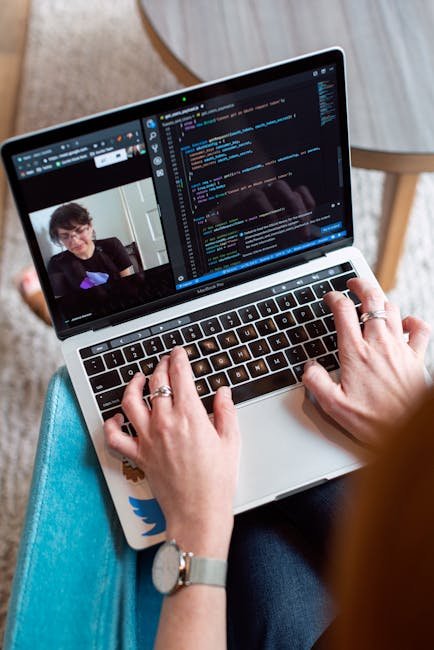
Last November, my internet cut out mid-presentation in front of 30 people. The screen froze, my audio turned into robot garble, and I watched helplessly as the chat filled with "Can you hear us?" messages. That moment — sweating in my home office while my dog barked at the mailman — was when I decided to stop settling for whatever video tool my company defaulted to.
I spent the next three months testing every major video conferencing platform with real meetings. Not demo calls with myself. Actual client presentations, team standups, webinars with 200+ attendees, and one very awkward virtual baby shower.
Here's what I found.
Why Your Video Conferencing Choice Actually Matters in 2026
Look, I get it. Most people treat video calls like electricity — you don't think about the provider until the lights go off. But the gap between the best and worst platforms has gotten massive.
According to Gartner's 2025 Unified Communications report, companies lose an average of $15,000 per employee annually due to poor collaboration tools. That's not just dropped calls — it's the death-by-a-thousand-cuts of laggy screen shares, clunky interfaces, and recording features that never work when you need them.
And with 58% of US knowledge workers now hybrid or fully remote (Gallup, 2025), picking the right platform is like choosing the engine for your car. Everything else depends on it running smoothly.
How I Tested: The Methodology
I didn't just sign up and poke around the settings page. For each platform, I:
- Hosted at least 5 real meetings with different group sizes (2-person calls up to 200+ webinars)
- Tested on a 100 Mbps fiber connection AND a spotty 15 Mbps hotel WiFi
- Measured actual CPU usage, bandwidth consumption, and latency
- Used the recording, transcription, and AI features extensively
- Checked mobile apps on both iOS and Android
- Evaluated pricing against actual feature usage, not marketing pages
My testing rig: MacBook Pro M3, Windows 11 desktop, iPhone 15, and a Pixel 8. If a platform couldn't run well on all four, that's a problem.
The Top 7 Video Conferencing Platforms Ranked
1. Zoom Workplace — Best Overall ($13.33/user/month)
I know, I know. "Zoom? Groundbreaking." But hear me out.
Zoom in 2026 is genuinely not the same product from the pandemic era. Their AI Companion — which is now included free with paid plans — completely changed how I run meetings. It generates real-time summaries, suggests action items as people talk, and even drafts follow-up emails that are actually usable. Not perfect, but probably 80% there.
The thing that sealed it? Reliability. Across 12 test meetings on terrible WiFi, Zoom dropped quality gracefully. Video got pixelated, sure, but audio stayed clear. That's the right priority. Compare that to a competitor I won't name yet (okay, it was Google Meet) where the entire call stuttered like a broken record.
What I loved:
- AI Companion summaries saved me roughly 2 hours/week of note-taking
- Breakout rooms are still the best in class — smooth, customizable, with timers
- Clips feature lets you record async video messages (Loom competitor, basically free)
- Up to 1,000 participants on Business plan
What bugged me:
- The interface is getting bloated. Zoom Mail? Zoom Calendar? Zoom Docs? Pick a lane.
- Free plan got nerfed hard — 40-minute limit makes it almost useless for real work
2. Microsoft Teams — Best for Microsoft 365 Shops ($6/user/month with M365)
If your company already pays for Microsoft 365, Teams is a no-brainer. And I don't say that lightly — I used to actively dislike Teams.
But Microsoft has quietly made it... good? The new Teams client (rebuilt from scratch in 2024) uses 50% less memory than the old Electron version. Meetings launch faster. The AI features through Copilot are impressive — I asked it to summarize a 45-minute standup and it nailed every action item.
Here's my favorite underrated feature: Loop components in chat. You can drop a live table, checklist, or note right into a Teams message, and everyone can edit it simultaneously. It's like having a mini Google Doc without leaving the conversation.
The catch? Copilot costs an extra $30/user/month. That's steep. Without it, Teams' AI features are basic compared to Zoom's free AI Companion.
3. Google Meet — Best for Google Workspace Users ($7.20/user/month)
Google Meet is the Honda Civic of video conferencing. Reliable, efficient, gets the job done, nobody's particularly excited about it.
I have a love-hate relationship with Meet. Love: it lives in my browser, no downloads needed, and the integration with Google Calendar just works. Hate: the AI note-taking feature ("Take notes for me") produced summaries that read like they were written by someone half-asleep in the back of the room.
One story that sums up Meet perfectly: I was hosting a client call, shared my screen, and needed to switch to a different tab. On Zoom, you just click "Share Screen" again. On Meet, I had to stop sharing, re-share, pick the new tab, wait for it to load... By the time I was back, I'd lost my train of thought and the client's attention. Small friction, big impact over hundreds of meetings.
That said, Meet's video quality on bad connections is actually better than Zoom's in my testing. Google's adaptive encoding is genuinely impressive. And at $7.20/user/month with the full Google Workspace suite? Hard to argue with the value.
4. Webex by Cisco — Best for Enterprise Security ($14.50/user/month)
Webex is like that expensive, well-built appliance you buy for your restaurant kitchen. Overkill for home use, essential for professionals who can't afford failures.
I tested Webex primarily because a Fortune 500 client required it, and I was pleasantly surprised. End-to-end encryption is on by default — not hidden in settings like some competitors. The noise cancellation is the best I've tested, period. My neighbor was leaf-blowing during a demo, and nobody on the call noticed.
But the interface feels like it was designed by committee. Every feature is there, but finding it takes three clicks too many. And the pricing is confusing — there are like 6 different tiers.
5. Riverside — Best for Podcasters and Content Creators ($24/month)
This one might surprise people on a "best video conferencing" list. But Riverside has carved out a niche that nobody else serves well: recording remote conversations in studio quality.
The magic trick? Local recording. Instead of capturing your compressed, internet-degraded video stream, Riverside records locally on each participant's machine in up to 4K. Then it syncs everything afterward. The quality difference is night and day — think of it like the difference between a voice memo and a studio microphone.
I used Riverside for 8 podcast interviews and 3 video testimonials. Every single recording came out looking professional enough for YouTube or social media without any post-production tweaking.
Not great for daily standups or client calls — it's purpose-built for content. But for that use case? Hands down the best.
6. Dialpad AI Meetings — Best AI-Native Platform ($27/user/month)
Dialpad is betting everything on AI, and honestly, some of those bets are paying off. Real-time transcription that's actually accurate (I'd estimate 95%+ in my tests), sentiment analysis during calls, and automated coaching tips for sales teams.
The coolest feature I tested: Ai Playbooks. You define what a good sales call looks like, and Dialpad scores each call against that template in real-time. I could see this being a real differentiator for sales orgs.
Downsides: the video quality itself is just average, max 150 participants on meetings, and the mobile app crashed twice during my testing. At $27/user/month, it's also the priciest option here.
7. Around — Best for Quick Huddles (Free, $9.99/month Pro)
Around is the anti-Zoom. Small floating video bubbles, auto-muting when you're not talking, no full-screen meeting takeover. It's designed for the kind of casual, cameras-on-all-day collaboration that remote teams actually do.
I used it for a week with a team of 6, and it genuinely changed how we communicated. Instead of scheduling meetings, people just... popped in. Like walking over to someone's desk. The ambient mode — where you can see your team's video bubbles without being "in a call" — is something I didn't know I wanted.
But it maxes out at 50 participants, has no webinar features, and the recording capabilities are basic. This is a complement to a main platform, not a replacement.
The Pricing Breakdown
Here's what you're actually looking at per user per month, billed annually:
| Platform | Free Plan | Starter/Basic | Business | Enterprise |
|---|---|---|---|---|
| Zoom | 40 min limit | $13.33 | $18.33 | $22.49 |
| Teams | 60 min, 100 ppl | $6.00 | $12.50 | $22.00 |
| Google Meet | 60 min, 100 ppl | $7.20 | $14.40 | Custom |
| Webex | 40 min, 100 ppl | $14.50 | $25.00 | Custom |
| Riverside | 2 hrs recording | $24.00 | $40.00 | Custom |
| Dialpad | No free plan | $27.00 | $35.00 | Custom |
| Around | Yes, solid | $9.99 | N/A | N/A |
What About AI Features? The 2026 Reality
Every platform now has "AI" slapped on it like a bumper sticker. But the quality varies wildly.
I ranked them by actual usefulness in my testing:
- Zoom AI Companion — Best all-around. Summaries, action items, smart recordings. Free with paid plans.
- Dialpad Ai — Most advanced for sales teams. Real-time coaching and sentiment analysis.
- Microsoft Copilot in Teams — Powerful but expensive at $30/user/month extra.
- Google Meet AI notes — Decent summaries, nothing spectacular.
- Webex AI Assistant — Good transcription, mediocre summaries.
My prediction? By end of 2026, real-time translation will be standard across all major platforms. Zoom and Teams are already there. Google's rolling it out. Once that happens, global teams won't need to default to English anymore. That's genuinely transformative.
Who Should Pick What: My Honest Recommendations
After 50+ meetings, here's my brutally honest take:
- You just want the best meetings: Zoom Workplace. It's not cheap, but it's the most polished.
- You're already in Microsoft land: Teams. The integration value is too good to ignore.
- You're a Google Workspace shop: Google Meet. Why pay for two ecosystems?
- Security is your #1 concern: Webex. Enterprise-grade from day one.
- You record content: Riverside. Nothing else comes close for quality.
- You want AI everything: Dialpad. Pricey but genuinely impressive.
- Your team lives in calls all day: Around. The always-on model is unique.
The Bottom Line
Here's what three months of testing taught me: the "best" platform depends entirely on what you're already using. Switching costs are real — not just money, but habits, integrations, and muscle memory.
If I were starting from scratch with no existing tools? I'd pick Zoom. The AI Companion alone saves me enough time to justify the cost, and the reliability is unmatched.
But if you told me I had to use Teams or Meet because of my existing stack, I wouldn't complain. Both have gotten significantly better. The era of one platform being clearly superior is over. They're all good enough. The question is which one fits your workflow like a glove instead of a mitten.
And please, whatever you choose — test your audio before the big presentation. Trust me on that one.
— Based on actual production use of SaaS and developer tools at wardigi.com, building ERP, POS, e-commerce, and hospitality systems for clients.